Release - Emio Labs v26.06


We are happy to announce Emio Labs v26.06!
With this release Emio Labs has now a solution mode, and you can pilot Emio from MATLAB. The release also contains many new exciting features and improvements. To upgrade, download the new version !
Highlights
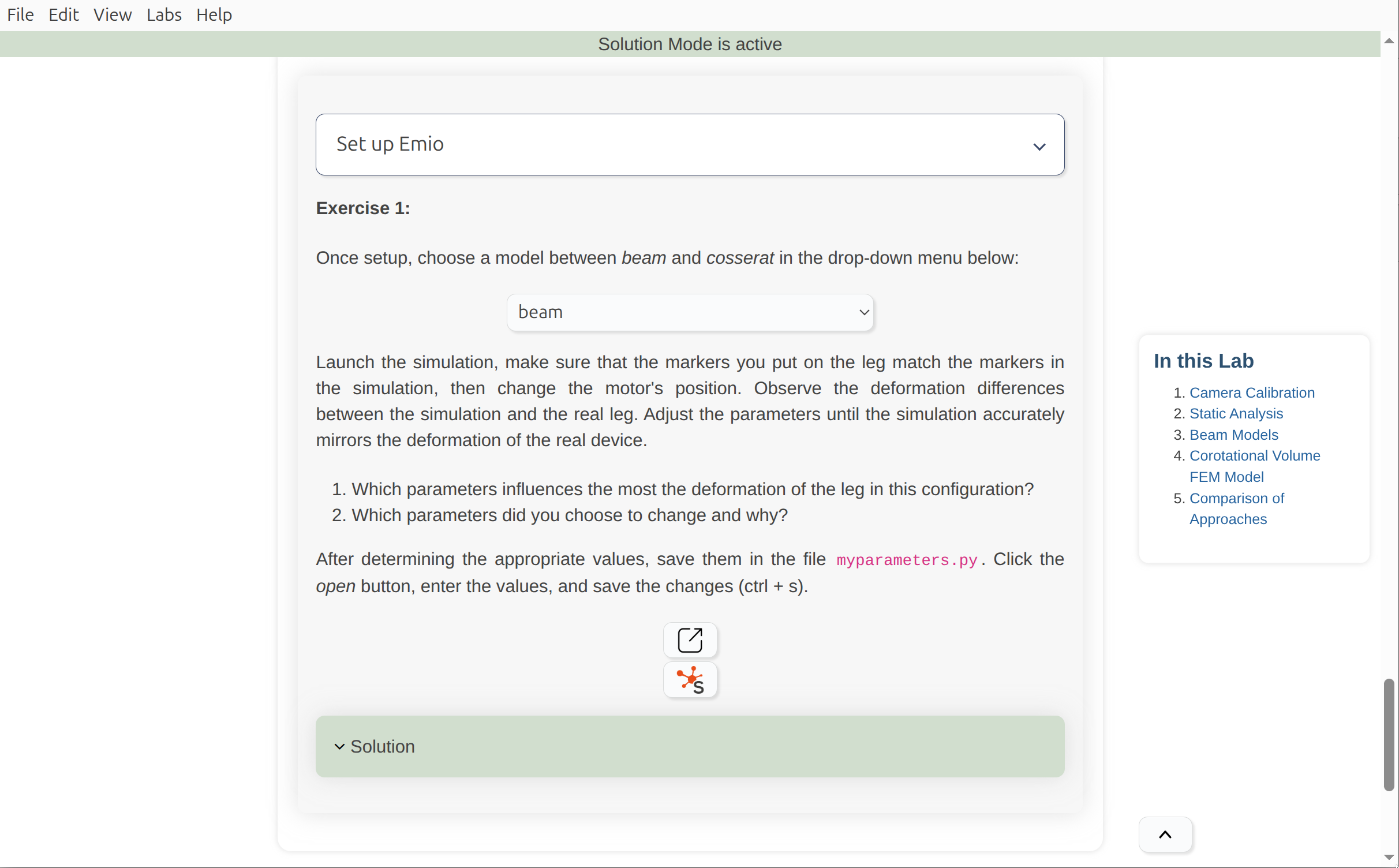
✨ Solution Mode
You can now enable a solution mode in Emio Labs to see the solutions of the labs. You can show or hide these solutions by toggling the Labs>Enable/Disable Solutions in the top menu bar. Have a look at the documentation.
✨ MATLAB & Emio
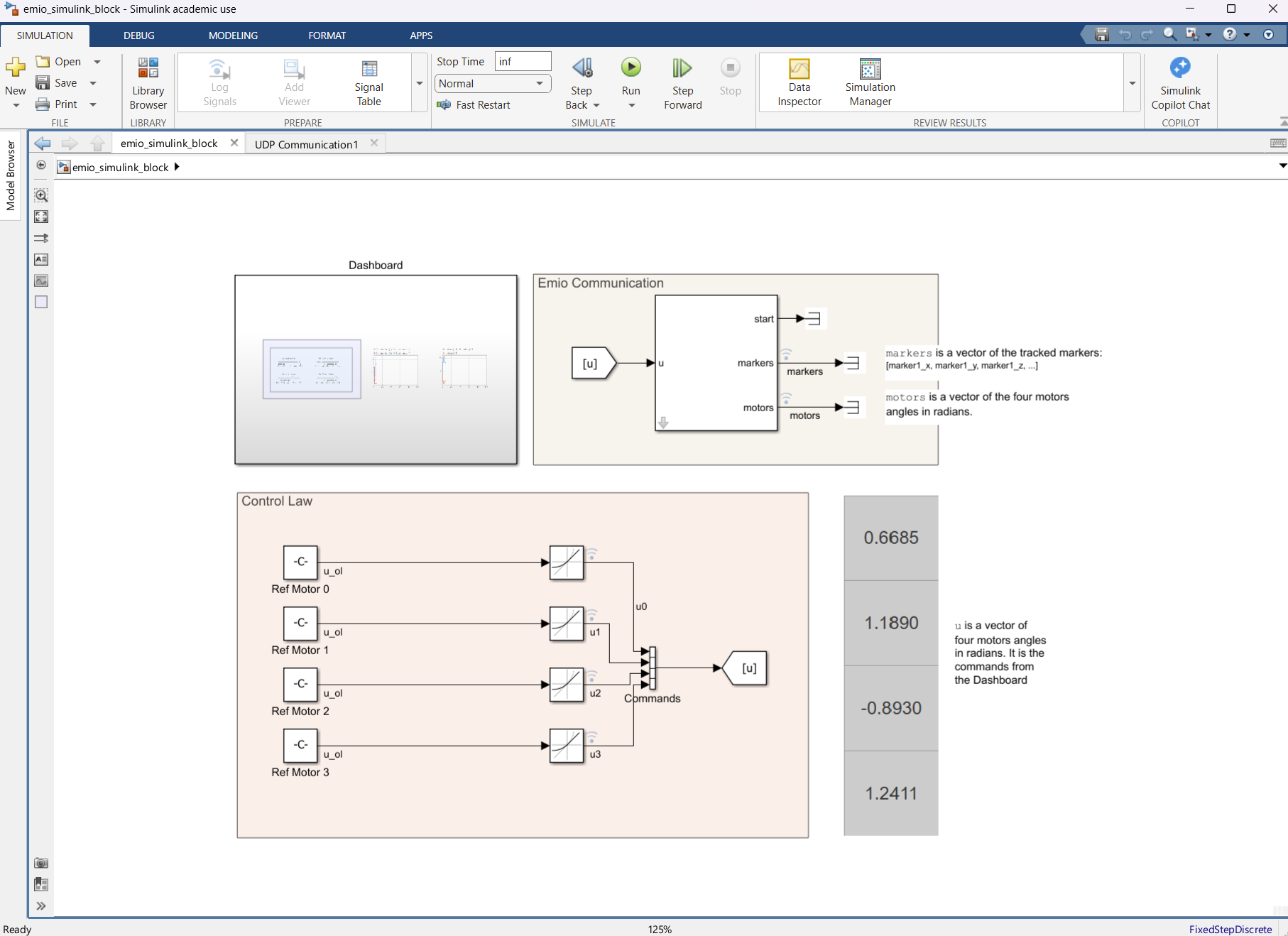
Pilot Emio from MATLAB. This GitHub repository shows an example of how to use the Emio Communication UDP block in SimuLink. Follow the instructions of the README.md and create your own lab on MATLAB.
✨ New Content
We are excited to introduce new content to Emio Labs. These additions will help you explore the capabilities of Emio:
- Emio.lab_optimization_firstorder: This lab aims at, in a first part, introducing the inverse kinematics of Emio using a multilayer perceptron (MLP) to model the mapping from end-effector position to motor angles. In a second part, the concept of parametric model is introduced to calibrate the youg modulus.
- MATLAB.Emio.demo_pendulum: This demos shows a MATLAB project to identify the transfer function to stabilize a weighted leg of Emio.
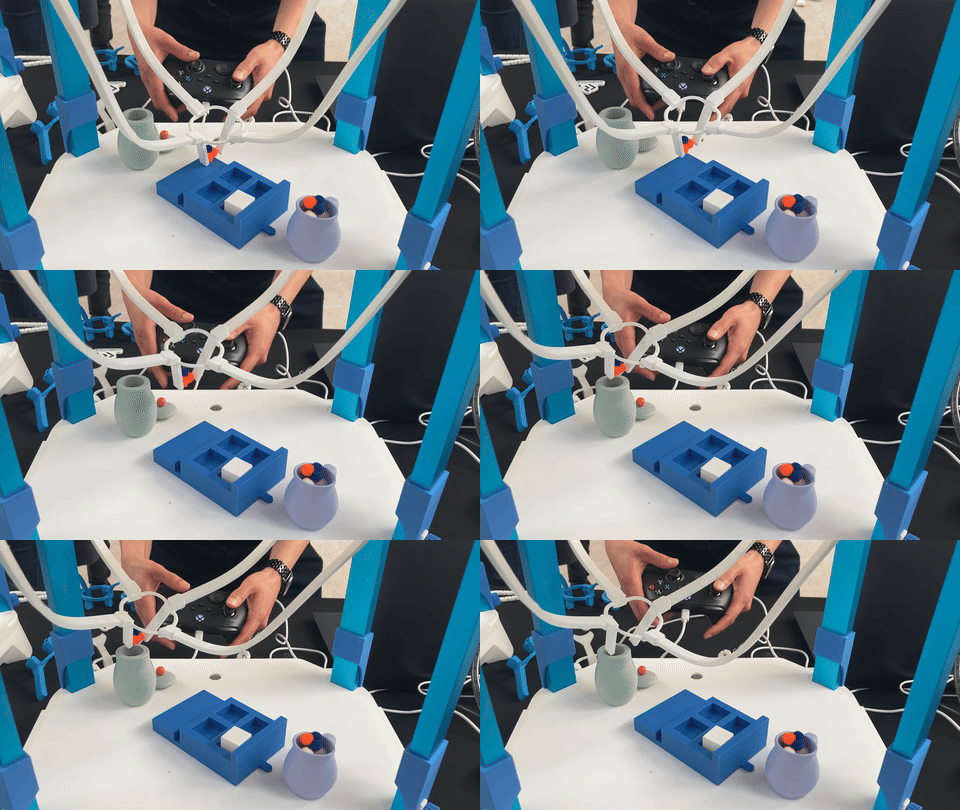
- Emio.demo_gamepad: This demo shows how to move the gripper of Emio using a gamepad. It uses the inputs Python package to handle gamepad events.
Other Changes
New Features
- You can now copy the logs of SOFA to the clipboard using the new button in the logs window.
Enhancements
- The logs of SOFA are now colorized
- The text is wrapped
- Labs now have a table of content
- The Python code of Emio is now packaged into a module named
emio
Bug Fixes
- Fixes crash when logs are too large
- Fixes extrapython path not taken into account