Release - SOFA Robotics v26.06
· 2 min read


We are happy to announce SOFA Robotics v26.06, distributed with Emio Labs v26.06!
Highlights
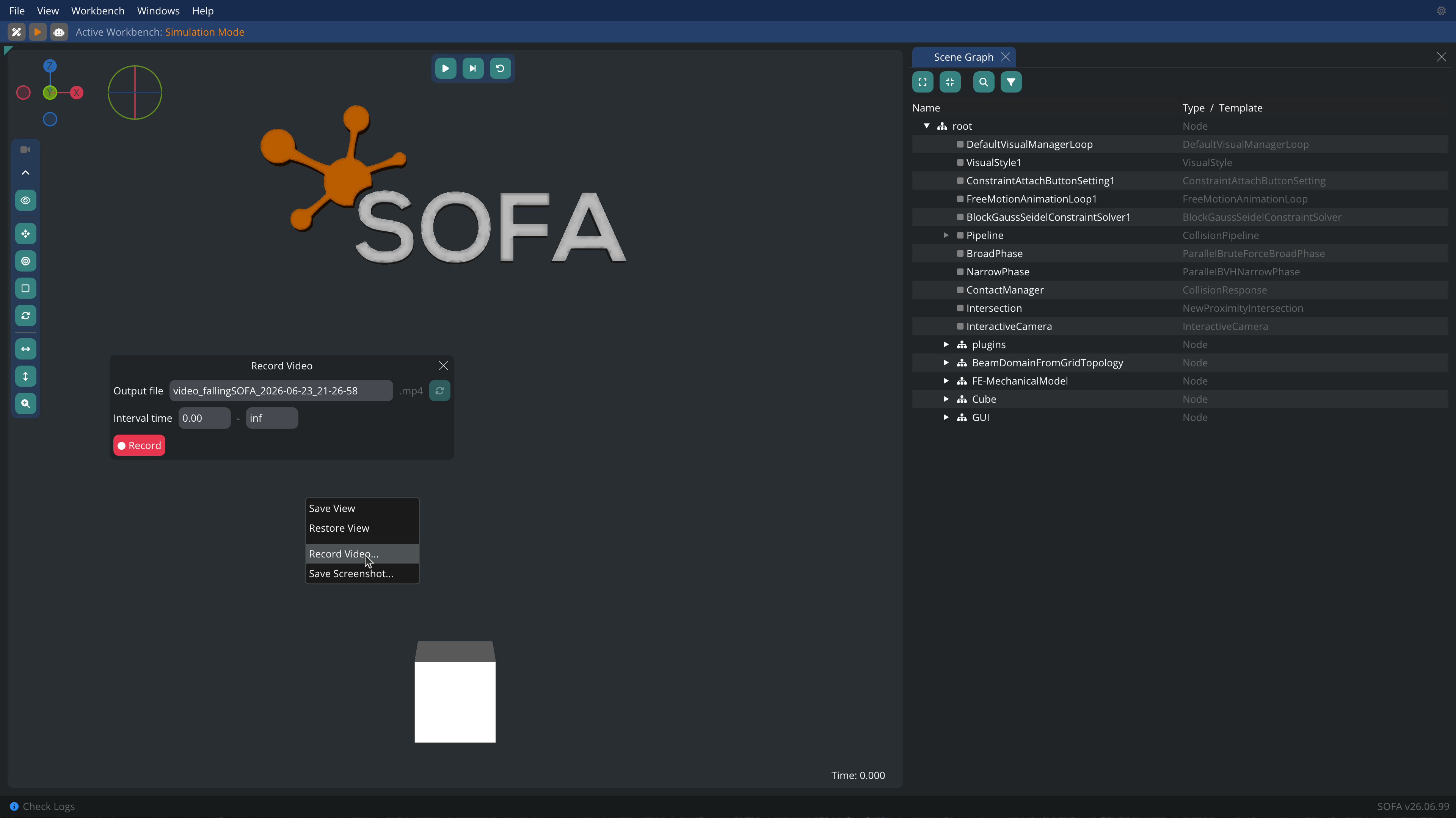
✨ Record Videos
You can now record your simulations. Right click on the 3D view or go to View/Record Video.... To enable this feature you need to have ffmpeg installed on your computer.
✨ Workbenches
Workbenches can be considered as a set of windows giving access to functionalities specially grouped for a certain task. There are three workbenches:
- Scene Editor - For building and editing the scene.
- Simulation Mode - For running the simulation.
- Live Control - For connecting to and controlling the real robot with the finalized scene.
Saving the project for the current simulation (SIMULATION_FILENAME.crproj file) will save the layout of the windows and workbenches, among other things. You can save the project using File > Save (Ctrl+S).
Other changes
Enhancements
- Scene Graph: highlight
OGLModelin nodes instead of showing the bounding box when clicking on the node - Viewport: fog effect has been added to the cliped area, enhancing the rendering of your simulations
- Footer: be notified in the footer bar when you need to check the logs. Clicking on the message opens the Log window
New features
- Reload the simulation by directly clicking on the reload button
- Python controller keyboard event triggered with ctrl + alt
- In the simulation workbench you can interact with the objects in the simulation with your mouse. Check the File > Mouse Manager... for more information
Bug fixes
- Fixes orthographic view
- Adds missing widgets in the components / nodes window
- Interactions with the camera's option buttons have been improved